

- Home
- Free resources
- Google search preview tool
Google SERP simulator
Preview how your pages appear in Google search, on desktop and mobile. Optimise your titles and descriptions for more clicks before you publish.
- Free to use
- Desktop and mobile previews
- Pixel-width checks
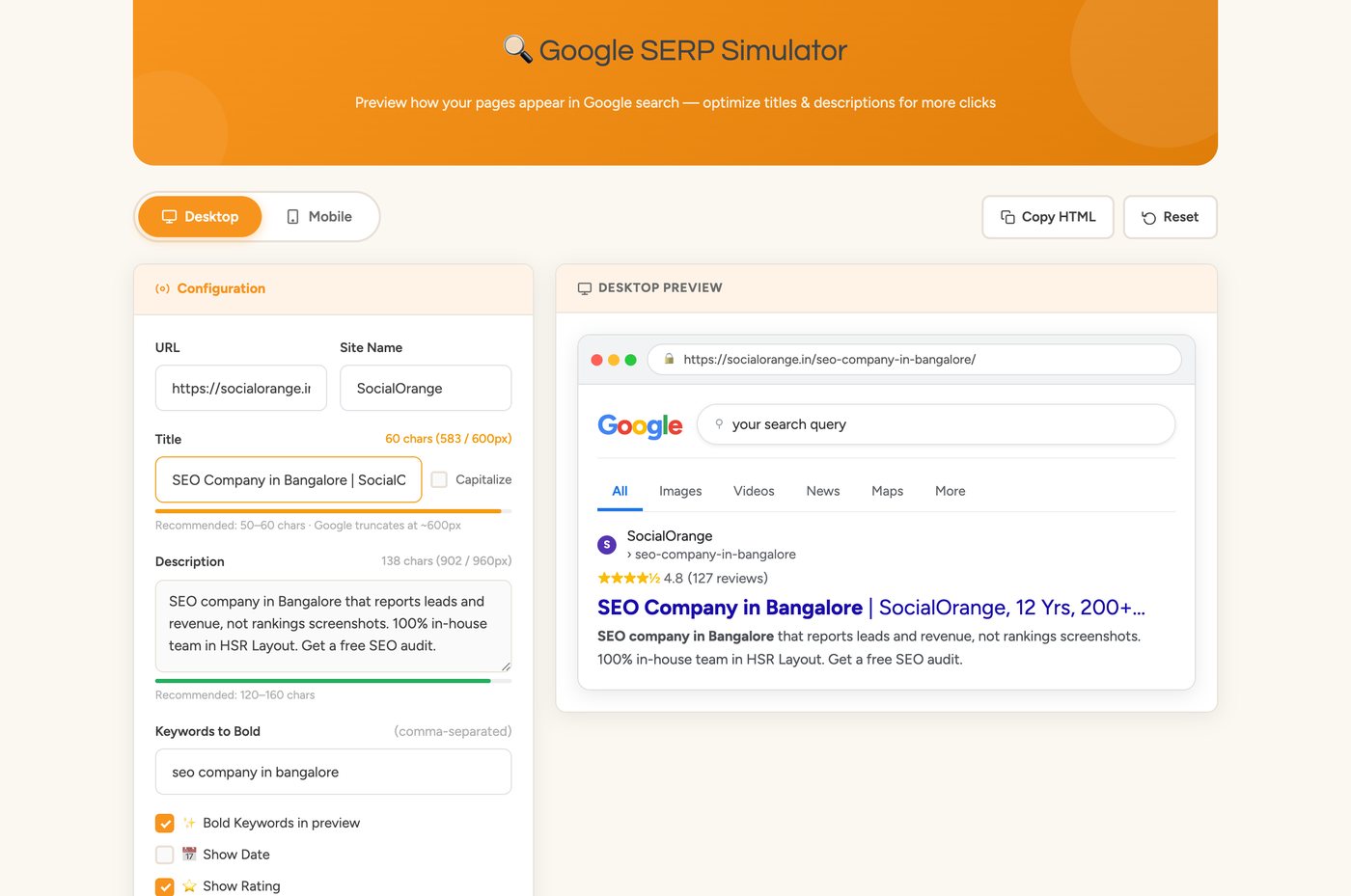
🔍 Google SERP Simulator
Preview how your pages appear in Google search — optimize titles & descriptions for more clicks
See your result the way searchers see it
Swipe
Title length
Live character and pixel counts. Recommended: 50–60 characters. Google truncates titles at around 600px wide.
Description length
Live counts against a 960px limit. Recommended: 120–160 characters.
Desktop and mobile
Switch between desktop and mobile previews to see where each version gets cut off.
Bold keywords
Add comma-separated keywords to see them bolded in the preview, the way Google highlights matches.
Date and rating
Toggle a date and a star rating (0–5) to preview how rich results change your snippet.
AI Overview, ads and map pack
Switch on an AI Overview, sponsored results and a map pack to see how far down the page your result is pushed.
A better snippet in three steps
- Step 1
Configure
Enter your URL, site name, title and description. Use Capitalize if you want title case.
- Step 2
Preview
Check the desktop and mobile previews, and fix anything flagged as likely to be truncated.
- Step 3
Copy
Use Copy HTML to take your final snippet, or Reset to start over.
Other tools from our team
Better snippets get the click. We'll write them.
Our in-house SEO team in Bangalore rewrites titles and descriptions across your site, tracks the click-through rate, and reports on leads. Message us on WhatsApp or email us.
